Settings & Preferences
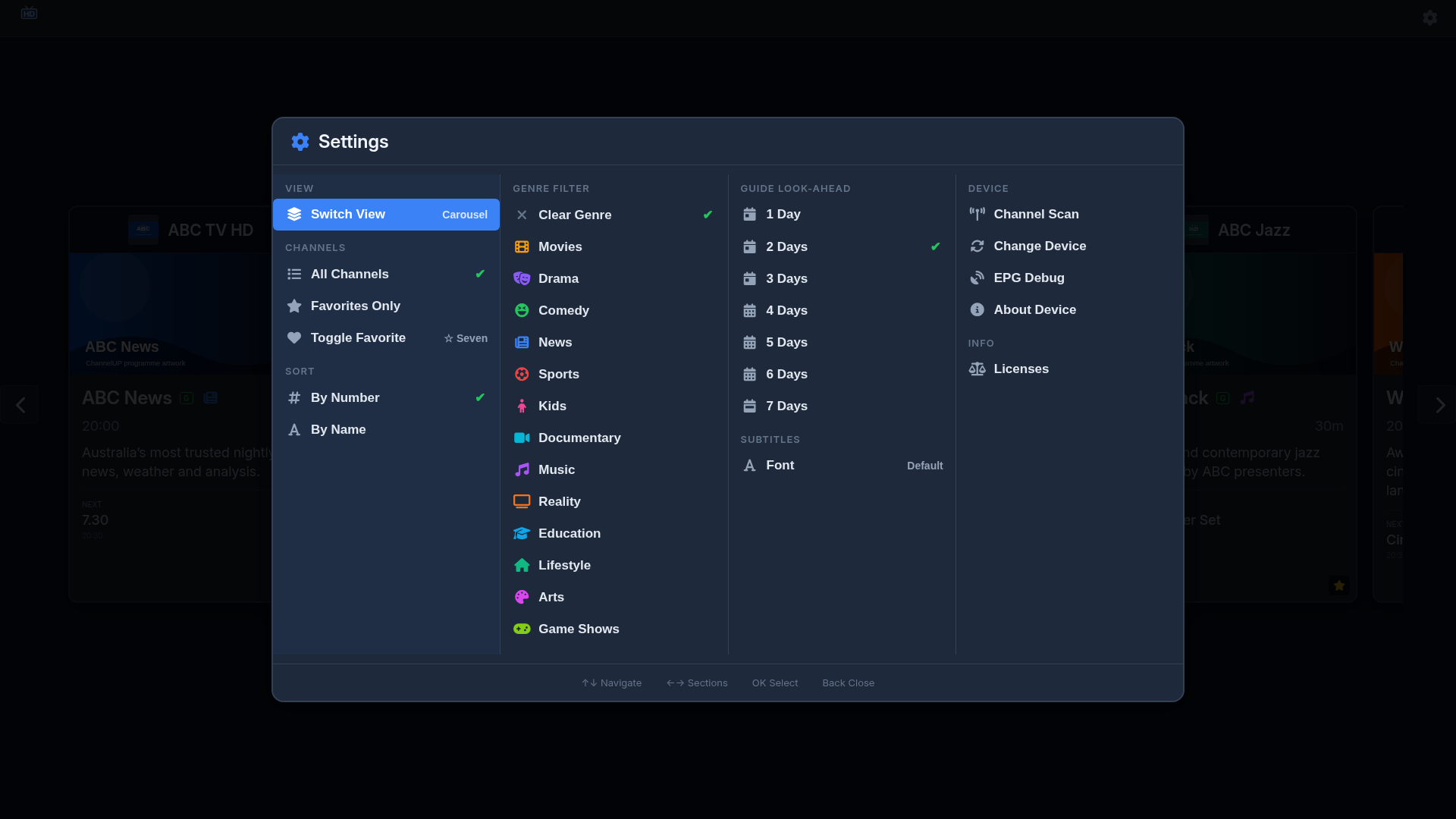
Access the settings menu by pressing Enter while on the guide views, or through the gear icon.
Settings Menu
The settings menu contains the following options:
| Setting | Description |
|---|---|
| View mode | Switch between EPG grid and channel carousel |
| Guide look-ahead | How many days of guide data to display (1–7 days) |
| Subtitle font | Choose from Standard, Atkinson Hyperlegible, or OpenDyslexic |
| Channel scope | Show all channels or favourites only |
| Genre filter | Filter channels by genre category (e.g. movies, sport, news) |
| Channel sort | Sort by channel number or name |
| Screen keep-alive | Prevent the TV from sleeping during use |
| Toggle favourite | Mark or unmark the current channel as a favourite |
| Channel scan | Re-scan your HDHomeRun tuner for available channels |
| Change device | Switch to a different HDHomeRun tuner on your network |
| Diagnostics | Open the diagnostics overlay |
| About | View app version, device model, firmware, and tuner information |
| Licenses | View open-source licenses and request source code |
Favourites
Marking Favourites
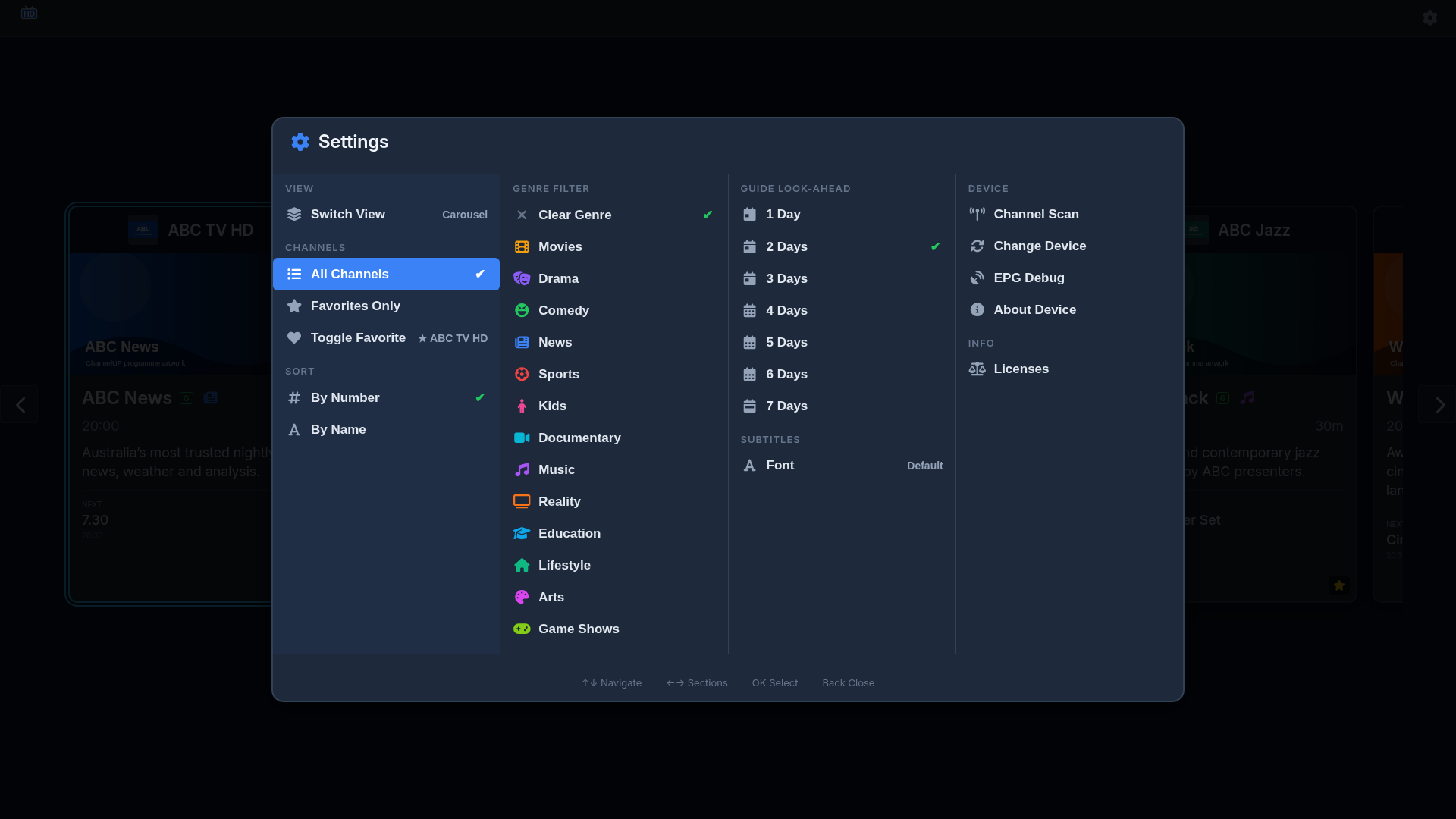
Star channels you watch frequently to build a favourites list. You can toggle a channel's favourite status from the settings menu while viewing or playing that channel.
Filtering by Favourites
Set Channel scope to "Favourites" to show only your starred channels in the grid or carousel. This is useful if you have a large channel lineup but only regularly watch a handful of channels.
Preferences Persistence
All your settings are stored in the webOS db8 database, which means they survive app updates. You won't lose your preferences when ChannelUP is updated from the LG Content Store.
Per-channel preferences (audio track, subtitle track) are also persisted via db8.