Features
ChannelUP is packed with features designed for the living room. Here's what you get.
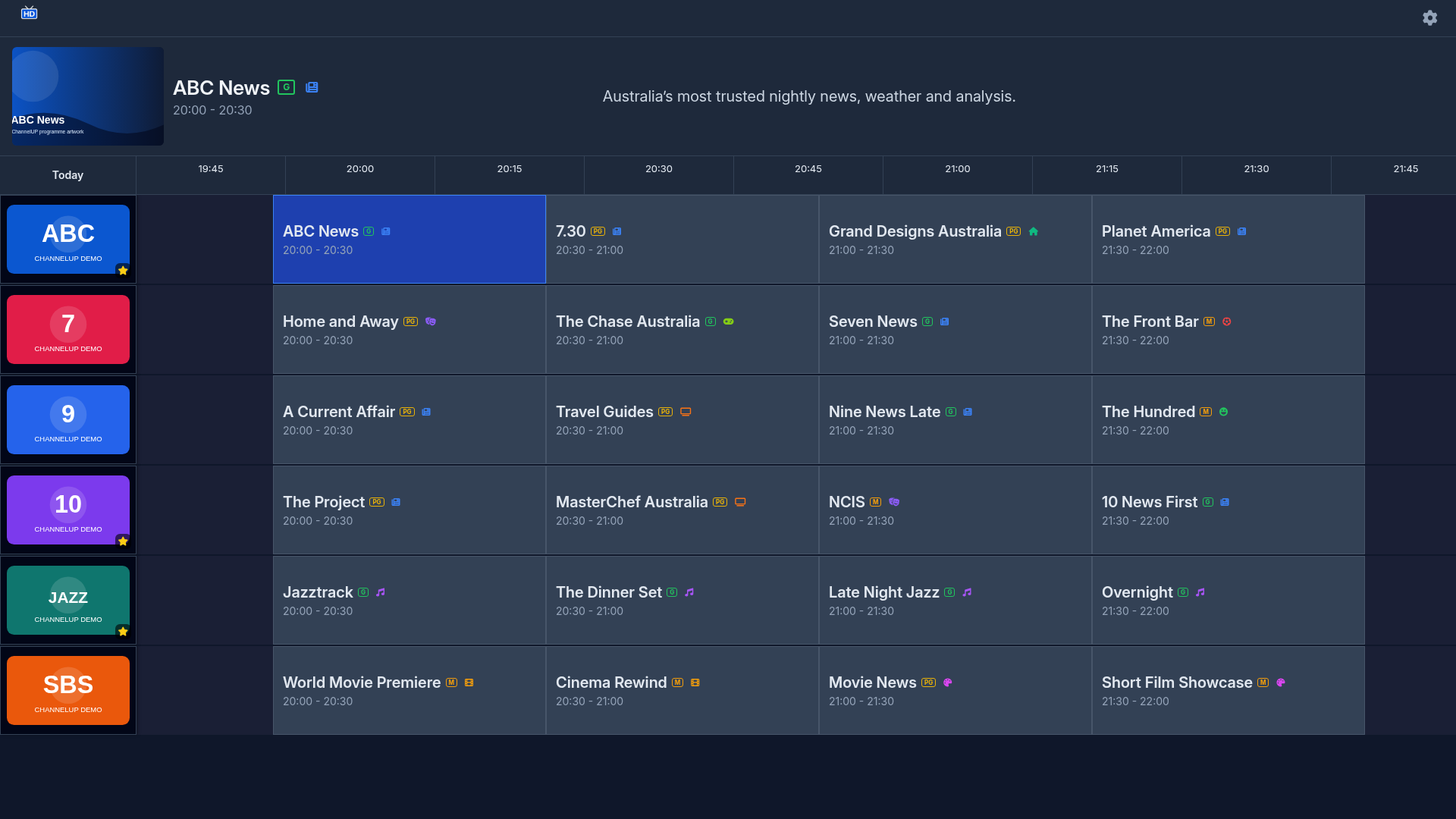
EPG Grid
The main view is a time-based program guide grid, similar to what you'd find on a Foxtel or Fetch TV box.
- Multi-day coverage — see what's on now, tonight, and up to 7 days ahead
- Program details — title, start/end time, synopsis, and genre
- Genre colour coding — quickly identify movies, sport, news, and more at a glance
- Current-time indicator — a vertical line shows you exactly where "now" is in the grid
- Smooth scrolling — navigate through time and channels fluidly with your remote
Channel Carousel
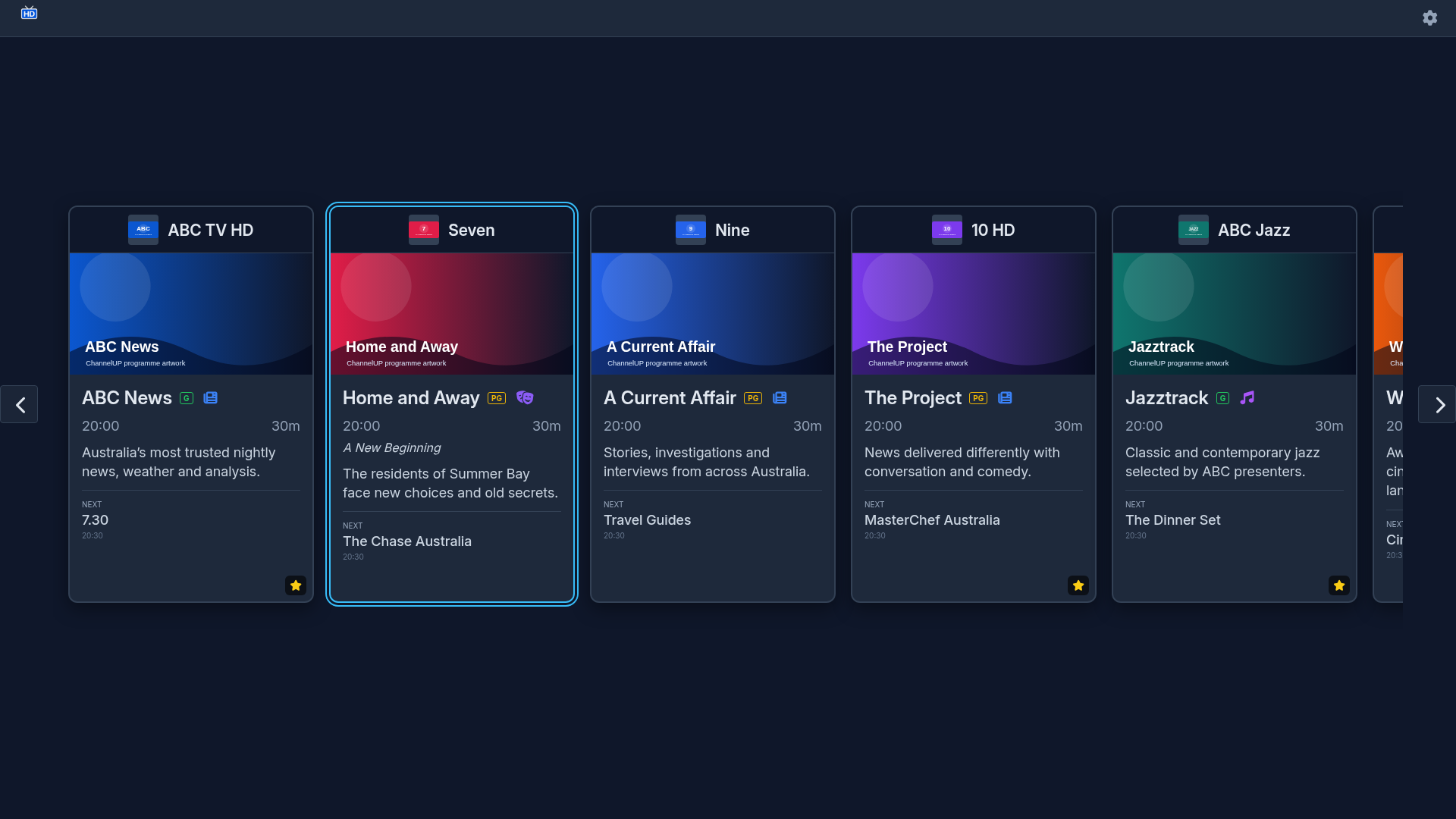
An alternative card-based view for browsing channels:
- Program artwork — shows images when available from the guide data
- Progress bars — see how far through the current program you are
- Synopsis preview — read what's on without switching away
- Quick-tune — press Enter on any card to start watching immediately
Live Playback
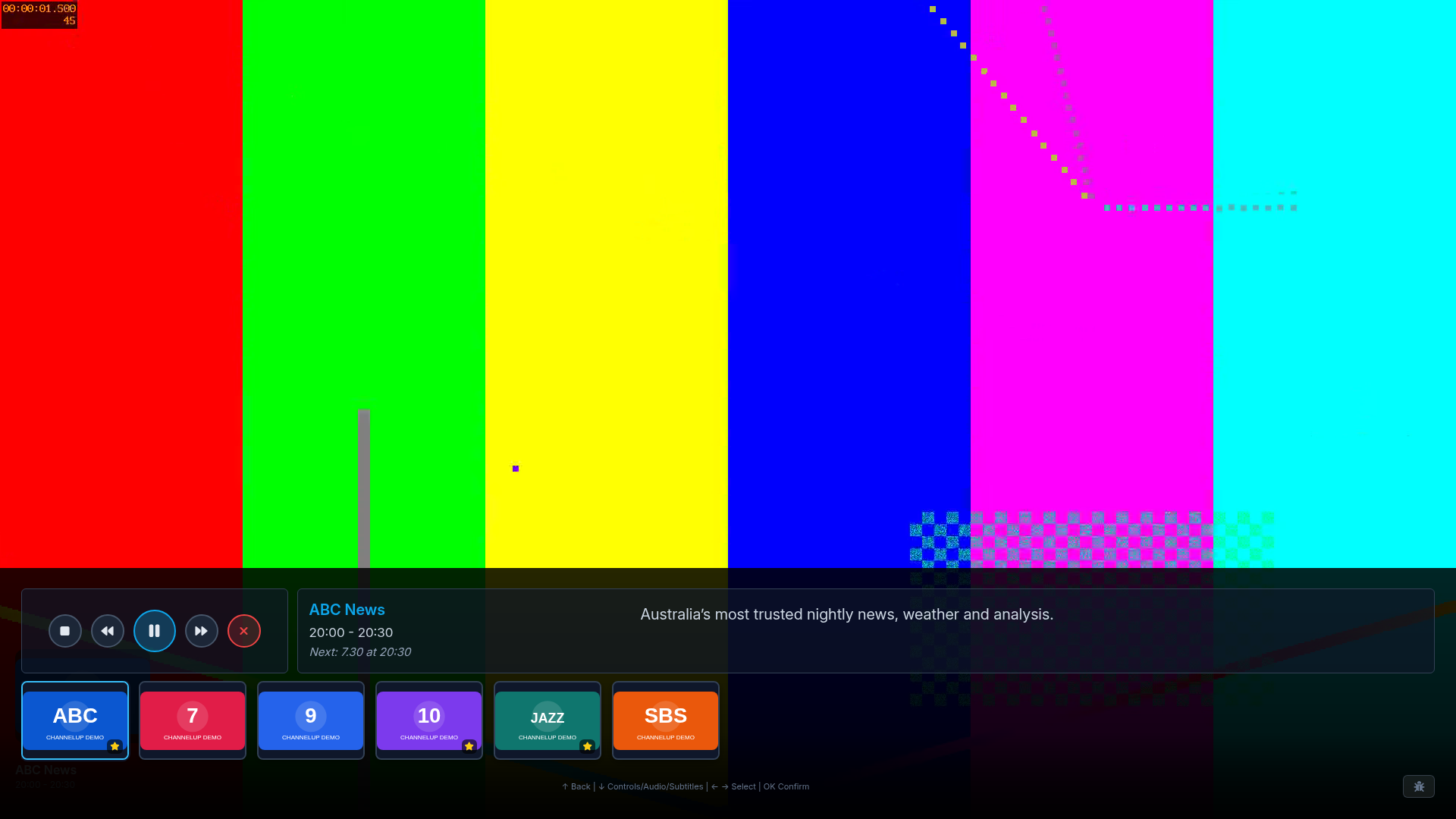
Press Enter on any channel to start watching:
- Fullscreen playback — native video playback on your TV
- Mini carousel overlay — press Down during playback to browse and switch channels without leaving the stream
- Buffering indicators — visual feedback while the stream loads
- Screen keep-alive — prevents your TV from going to sleep during playback
DVB-T Support
Built specifically for Australian free-to-air television:
- EIT scanning — the app scans broadcast EIT (Event Information Table) data directly from your antenna signal, providing richer and more current program information than the HDHomeRun cloud guide alone
- Automatic merging — EIT data is merged with cloud guide data, so you always get the best available information for each channel
- Web Worker processing — all guide normalisation, EIT merging, and filtering runs in a background thread so the UI stays responsive
DVB Subtitles
Full subtitle support built into the app:
- DVB bitmap subtitles — rendered as overlays on the video surface, extracted in real-time by a custom TS demuxer in the service layer
- Multiple accessibility fonts — choose from standard, Atkinson Hyperlegible, or OpenDyslexic fonts for subtitle display
- Per-channel preferences — your subtitle track choice is remembered for each channel
Multi-Track Audio
Switch audio tracks during playback:
- Language selection — choose between available audio languages on multilingual broadcasts
- Track switching — switch audio tracks without interrupting playback
- Persistent preferences — ChannelUP remembers your audio track choice per channel and restores it automatically next time you tune in
Auto-Discovery
No configuration needed:
- Automatic detection — ChannelUP finds your HDHomeRun tuner on your network automatically
- Cloud fallback — if local discovery doesn't work, the app falls back to the HDHomeRun cloud discovery service
- Cached connection — once discovered, your device details are cached for instant reconnection on next launch
Favourites & Filters
Organise your channel list:
- Favourite channels — star the channels you watch most
- Filter by favourites — show only your favourite channels in the grid or carousel
- Genre filtering — narrow down to specific categories
- Sort options — sort channels by number or name
Settings
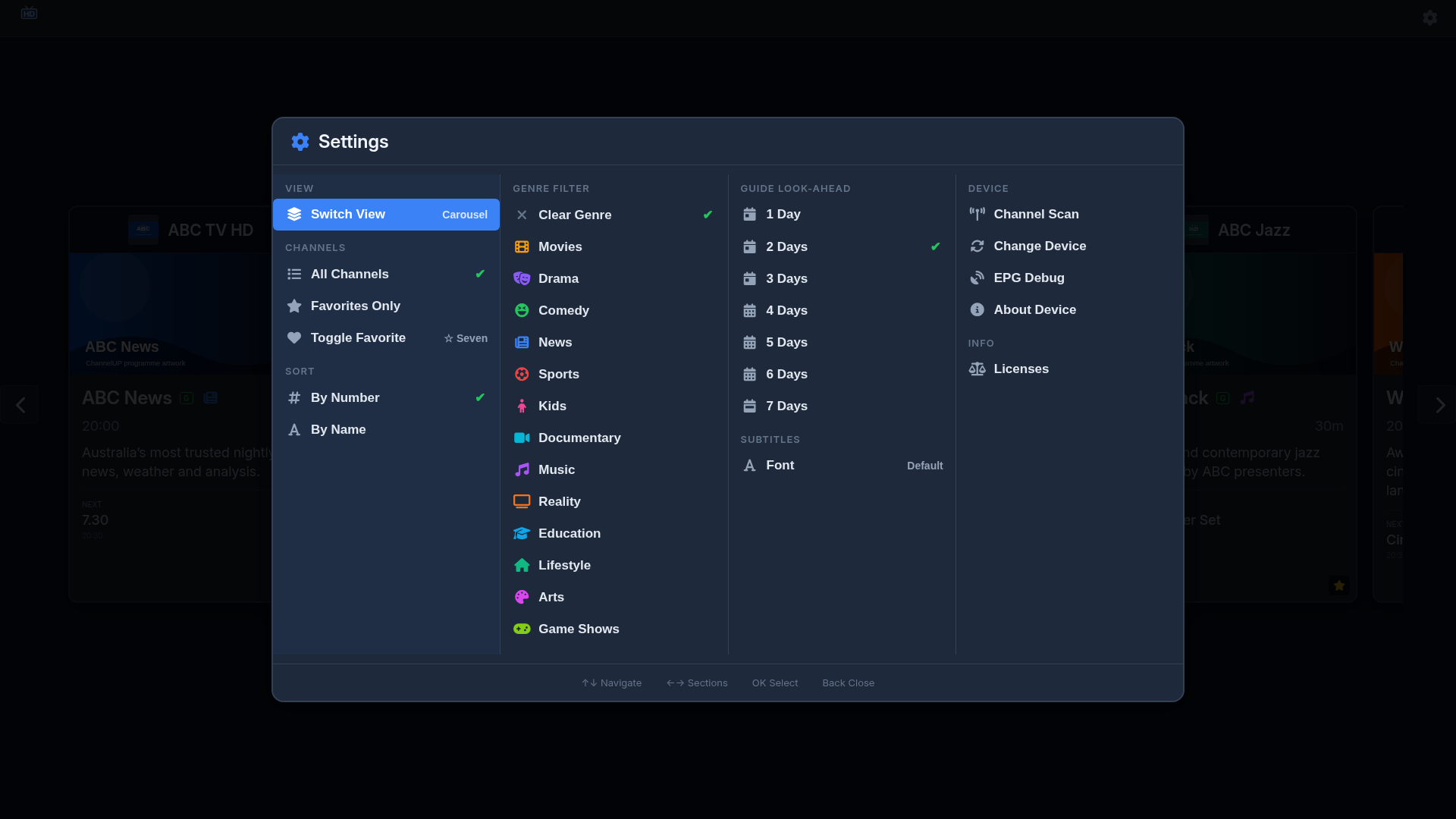
Customise ChannelUP to suit your viewing habits:
- Guide look-ahead — control how many days of guide data to display
- Subtitle font — choose your preferred accessibility font
- Channel scope — show all channels or favourites only
- Screen keep-alive — prevent the TV from sleeping during use
- View toggle — switch between grid and carousel views
Built-in Diagnostics
For when things don't go to plan:
- Debug overlay — access detailed information about signal quality, tuner status, storage usage, and app performance
- Remote diagnostic submission — after reviewing and confirming the consent screen, optionally send App, TV, tuner, network and playback diagnostics to our support team
- localStorage and db8 stats — see exactly what data the app is storing on your TV
Submitted reports can include stable device and network identifiers and are retained for 30 days. See the Privacy Policy for the complete list and your choices.
Open Source
ChannelUP is licensed under the GNU Affero General Public License v3.0 (AGPL-3.0):
- View licenses — see all open-source components and their licenses from the settings menu
- Request source code — request the exact source code for your version directly from the app via QR code
- Full transparency — study, modify, and redistribute under the terms of the AGPL-3.0